Blog · November 3, 2026
How to Make a 2D Platformer: A Step-by-Step Guide
To make a 2D platformer, pick a beginner-friendly engine like Godot, build a character that runs and jumps on grey boxes, tune that movement until it feels great, then design one short test level, add a few hazards and enemies, swap in art and sound, and playtest with real people. The jump is the heart of the game, so most of your early time should go into how it feels, not how it looks.
Platformers are one of the best first games because the scope is easy to control and you can tell within seconds whether something is fun. Here is the whole process, step by step.
Step 1: Decide what makes yours different
There are a lot of platformers, so give yours one clear idea. A few examples:
- One special move (a dash, a grapple, a double jump that changes gravity).
- A theme that changes the rules (a ghost who can pass through walls for two seconds).
- A structure (one screen per level, a tower that gets taller, a speedrun race).
Keep it to one idea for now. Write it down with the rest of your plan in a short game design document.
Step 2: Choose an engine
Godot is a popular choice for 2D, because it has a dedicated 2D engine, tile maps and a built-in character body for platformer movement. Unity also works well. See Godot vs Unity vs Unreal for the full comparison, or Godot for beginners to get set up.
Step 3: Make the movement feel great
This is where good platformers are made. Start with coloured rectangles: a box for the player, boxes for the floor. Then tune:
- Run speed and acceleration. How fast the player reaches top speed and how quickly they stop.
- Jump height and gravity. Many games use stronger gravity on the way down than the way up, so jumps feel snappy instead of floaty.
- Variable jump height. Let go of the button early for a short hop.
- Coyote time. Let the player still jump for a split second after running off a ledge. It feels fair, even though they rarely notice it.
- Jump buffering. If the player presses jump just before landing, jump anyway when they touch the ground.
- Air control. How much the player can steer mid-jump.
Play it for ten minutes. If running and jumping around an empty room is fun, you are on the right track.
Step 4: Build one test level
Before making ten levels, make one great short one. A simple structure that works:
- Teach the move somewhere safe, where failing costs nothing.
- Test it with a small risk, like a short gap.
- Twist it by combining it with something new.
- End with a harder challenge that uses everything.
Our level design basics guide goes deeper on pacing, checkpoints and guiding the player without text.
Step 5: Add hazards, enemies and collectibles
Add one thing at a time and test each one:
- Hazards: spikes, pits, moving platforms, falling blocks.
- Enemies: start with one that walks back and forth. Make it obvious how to defeat or avoid it.
- Collectibles: coins or gems guide the player's path and reward exploring.
- Checkpoints: respawn quickly and close to where the player died. Long walks back are the fastest way to make a player quit.
Step 6: Add art, animation and sound
Now replace the boxes. You do not need to be an artist; free asset packs and simple styles go a long way, and our guide to game art for non-artists explains how to keep it consistent. The animations that matter most are idle, run, jump, fall and land.
Sound makes movement feel physical. A soft jump sound, a landing thud and a coin chime are enough to start. See sound effects for indie games for free sources and licences.
Step 7: Playtest and polish
Watch other people play without helping them. Where do they die? Where do they get bored? Do they understand the special move without being told? Our guide on how to playtest your game explains what to look for. Then fix the biggest problem first, and repeat.
Building a platformer with Suma
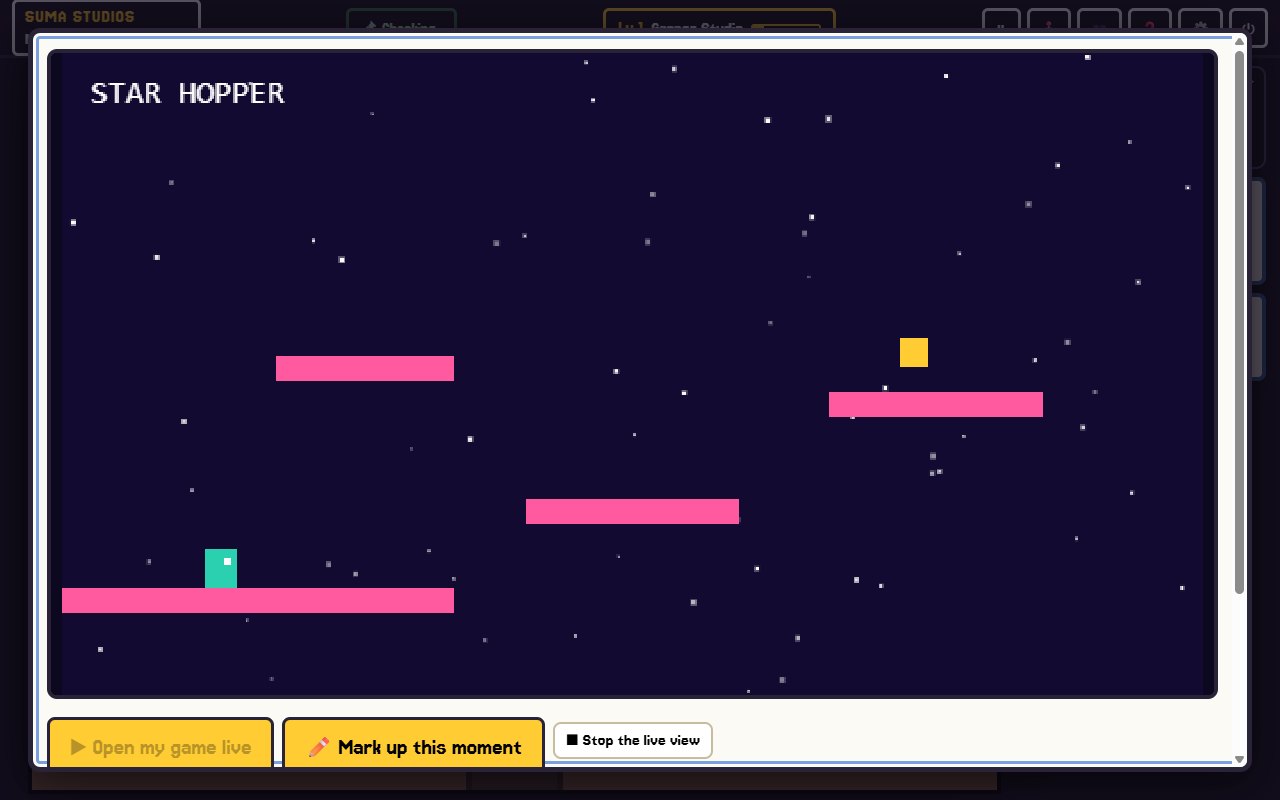
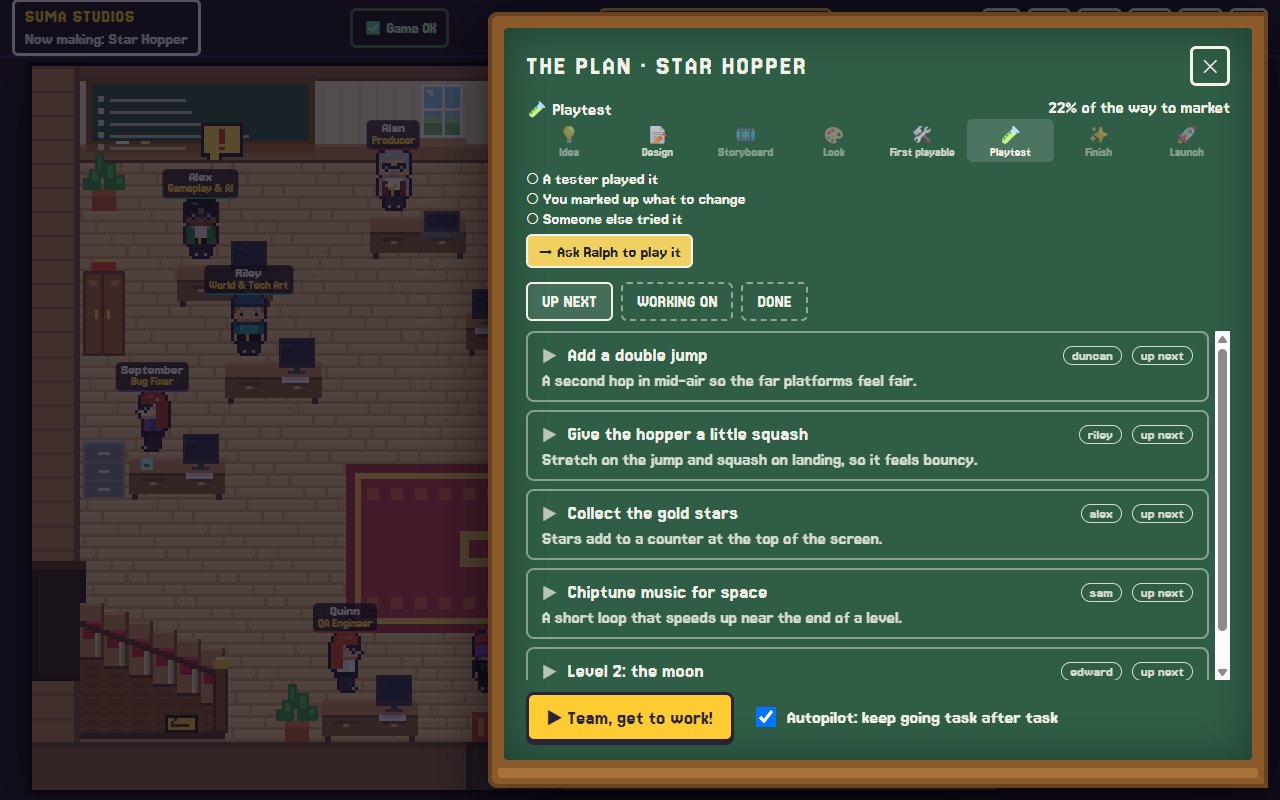
In Suma Studios, you can describe your platformer idea in plain words and the AI team builds it in Godot. You play each version on the playtest TV, press F8 or F9 on the exact jump that feels wrong, draw on it, and tell the team what should change. If you want more help with movement, Kai is a hireable developer focused on physics, controls and game feel, and Owen focuses on level layout, pacing and puzzles. Each extra hire is $4.99.
FAQ
What is the best engine for a 2D platformer?
Godot and Unity are both strong choices. Godot is free, light and has excellent 2D tools, which makes it a favourite for first platformers.
How long does it take to make a 2D platformer?
A small platformer with a few levels can be playable in days and finished in weeks. Bigger games with many worlds take months or years.
How many levels should my first platformer have?
Fewer than you think. Three to five polished, short levels make a better first game than thirty rough ones.
Do I need to know how to code?
Not necessarily. Visual scripting and AI teams can handle the code. You still need to play it often and decide what feels right.
Make your first jump feel great
Have a platformer idea? Try Suma free and build one game up to its first playable version, then tune the jump until it feels just right.
Make your game with an AI team
Suma Studios is a pixel-art game studio on your computer. Tell your team what you want, and they build it in Godot, Unreal, Roblox or Fortnite.