Blog · November 2, 2026
How to Playtest Your Game and Get Useful Feedback
To playtest your game well, start early, watch real people play without helping them, write down where they get stuck or bored, ask a few open questions afterward, and fix the biggest problems first. Playtesting is not about collecting compliments. It is about finding out what players actually do, which is often very different from what you planned.
This guide covers every step, from your first rough build to testing with strangers.
Why playtesting matters so much
You know your game too well. You know where the secret path is, what the strange icon means and how hard to press jump. New players know none of that. Watching them is the only way to see your game the way everyone else will.
Playtesting helps you find:
- Confusing moments where players do not know what to do.
- Difficulty spikes that make people quit.
- Bugs that only appear when someone plays differently from you.
- The parts players love, so you can make more of them.
When to start playtesting
Earlier than feels comfortable. As soon as your core loop is playable, even with gray boxes and no sound, test it. It is much cheaper to change a mechanic in week two than in month six.
A simple rhythm:
- You play it every day while building.
- Friends play rough versions to check the core loop is fun.
- Strangers play once it is more complete, to check it makes sense without you.
Step 1: Decide what you want to learn
Pick one or two questions for each test. For example:
- Do players understand the goal within the first minute?
- Is the second level too hard?
- Do players find the shop?
A focused test gives clearer answers than "what do you think?"
Step 2: Watch, do not help
This is the hardest part. Sit beside the player, or watch a recording, and stay quiet.
- Do not explain controls unless the game is meant to.
- Do not say "oh, you are supposed to go left."
- Note where they hesitate, die, get lost, or smile.
Every time you feel the urge to explain, write down what you wanted to say. That is something the game needs to teach.
Step 3: Ask good questions afterward
Keep it short and open:
- What was the game about, in your own words?
- What was the most fun moment?
- When did you feel frustrated or bored?
- Was there anything you wanted to do but could not?
- Would you play again? Why or why not?
Players are great at telling you where something feels wrong. They are less reliable at telling you how to fix it. Treat their suggestions as clues, not instructions.
Step 4: Turn notes into changes
After a test, gather your notes and sort them:
- Must fix: crashes, blockers, things nobody understood.
- Should fix: things several people struggled with.
- Maybe: single opinions and nice-to-haves.
Fix the top few, then test again. Small loops of test, fix, test beat one giant test at the end.
Playtesting with Suma Studios
Suma Studios is built around this loop. You play your game on the playtest TV in the office. When something feels off, you press F8 or F9 to grab that moment, draw on it, and tell the team what should change. That note goes to the right teammate.
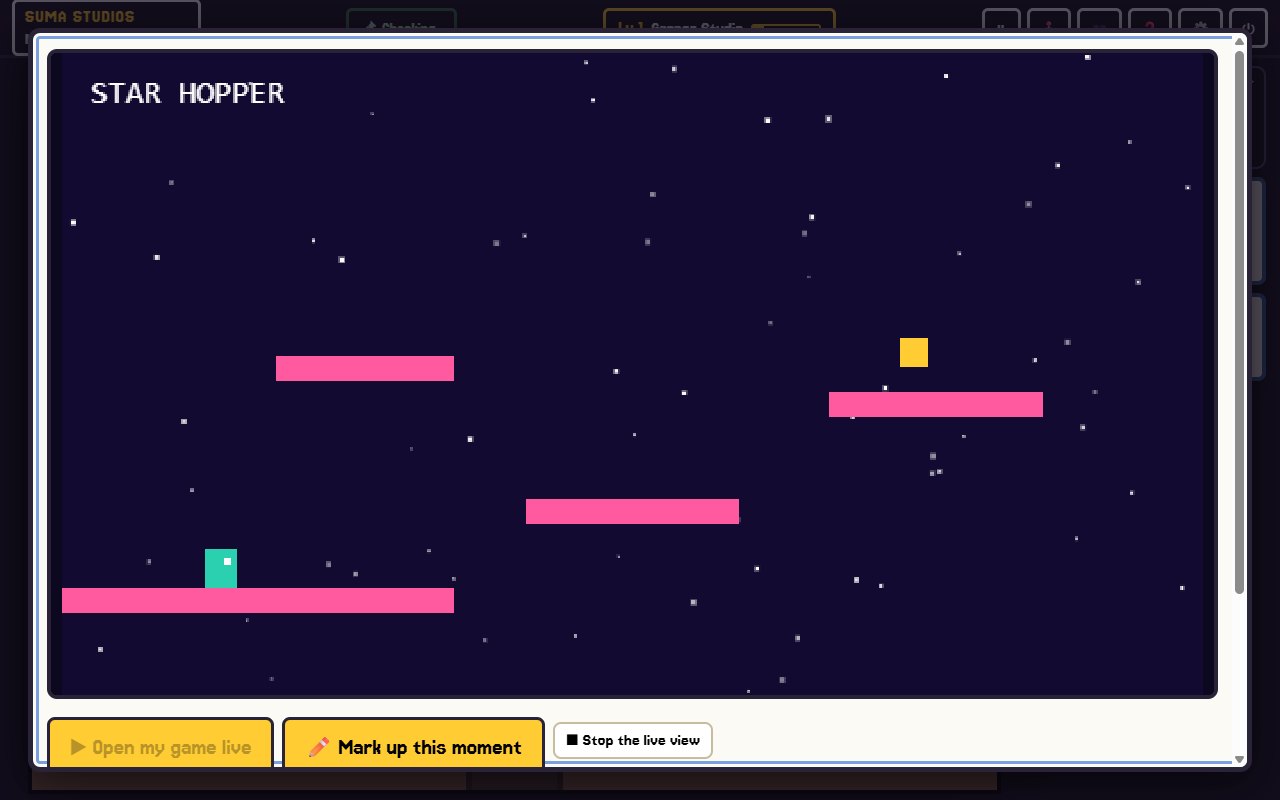
You also have help on both sides of testing. Ralph, the studio playtester, plays the game and tells you what players are likely to love or hate. Quinn, the QA engineer, checks that what worked yesterday still works today. Friends can join a playtest from the same spot, or scan a code to play on a phone with the full version.
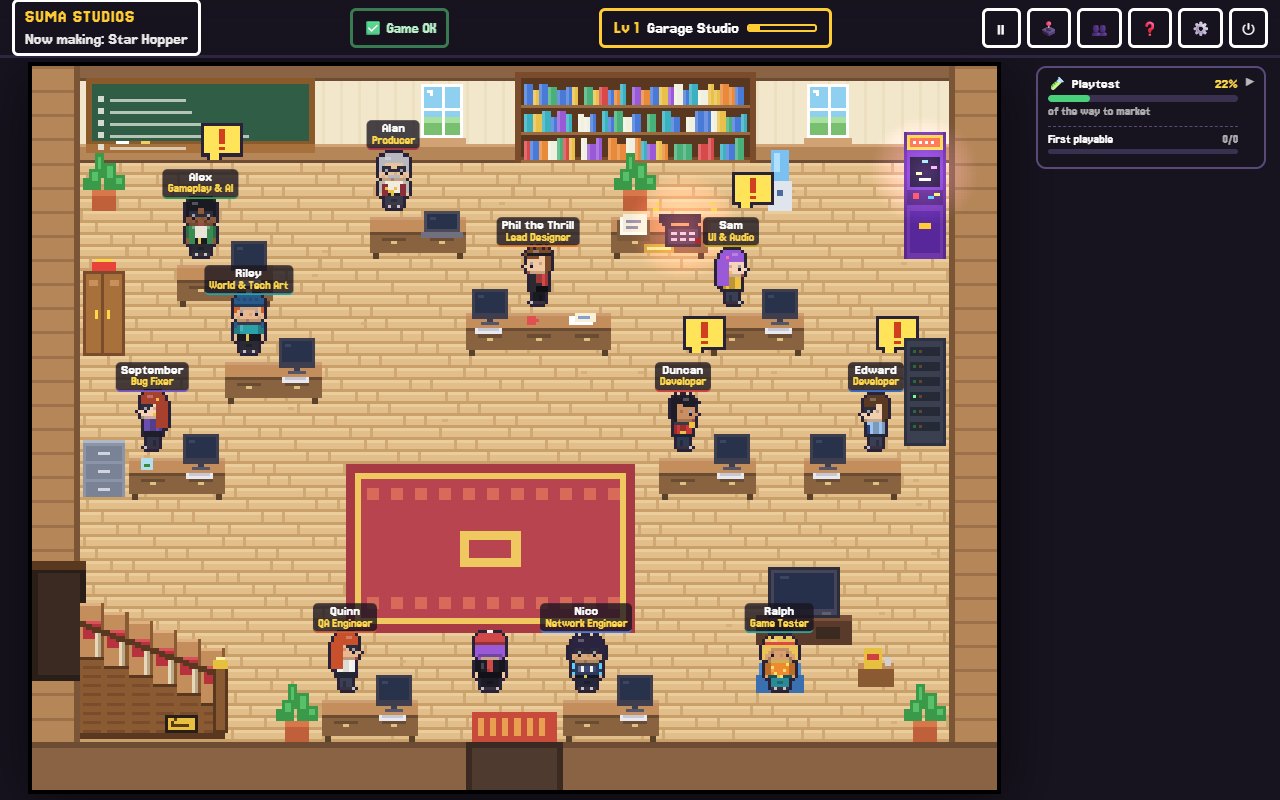
Because every change is saved, you can try a fix, play it, and go back if it made things worse.
Common playtesting mistakes
- Waiting until the game is "ready." It never feels ready.
- Testing only with friends who are kind to you.
- Explaining the game while people play.
- Changing ten things at once, so you cannot tell what helped.
- Ignoring what players do because of what they say.
FAQ
How many playtesters do I need?
For early tests, three to five people often reveal the biggest problems. Add more as the game gets closer to launch.
Where can I find playtesters?
Friends and family for early builds, then local game groups, online communities for your genre, and your own Discord. Steam also lets you run playtests for games with a store page.
Should I pay playtesters?
Not usually for small indie games. A thank-you in the credits or an early copy is common. Be clear about what you are asking for.
What is the difference between playtesting and QA?
Playtesting checks whether the game is fun and clear. QA checks that it works correctly every time. You need both.
Start testing this week
Pick one question, find one person and watch them play without saying a word. You will learn more in twenty minutes than in a week of guessing. If you want a studio built around that loop, see the features page or try Suma free. And when your game is ready to share, read how to launch an indie game on Steam.
Make your game with an AI team
Suma Studios is a pixel-art game studio on your computer. Tell your team what you want, and they build it in Godot, Unreal, Roblox or Fortnite.