Blog · November 3, 2026
How to Make a Video Game With No Coding Experience
Yes, you can make a video game with no coding experience. You have three real options: use a no-code or visual-scripting tool, learn just enough code as you go, or work with an AI team that writes the code for you while you make the creative calls. All three can lead to a finished, playable game. The right one depends on how much time you have and what kind of game is in your head.
This guide walks through each route honestly, then gives you a simple plan for your first game, whichever path you choose.
Start with the game, not the tool
Before you download anything, write down three things:
- What the player does over and over (jump on platforms, solve a puzzle, fight waves of enemies, grow a farm).
- Why it is fun to keep doing it (getting faster, unlocking things, beating a friend's score).
- Where you want people to play it (PC, phone, a web browser, Roblox or Fortnite).
That third answer narrows your choices quickly. A Roblox game is built in Roblox Studio. A Fortnite island is built in Unreal Editor for Fortnite. A PC or web game can be built in an engine like Godot. If you are not sure yet, our guide to writing a game design document helps you turn a fuzzy idea into a one-page plan.
Route 1: no-code and visual scripting tools
Many engines and game makers let you build logic by connecting blocks or nodes instead of typing code. You drag in a character, set rules like "when the player touches a coin, add one point," and test it right away.
What is good about it:
- You see results within your first hour.
- It teaches you how games are put together: events, rules, states.
- Plenty of free tutorials exist for the popular tools.
What to watch for:
- Bigger games can turn into a tangle of blocks that is hard to change.
- Some tools lock you into their own format or their own store.
- You still do every job yourself: design, art, sound, testing and launch.
Route 2: learn just enough code
You do not need a computer science degree to make a game. Many solo developers learn one beginner-friendly language inside one engine, a little at a time. Godot's GDScript and Roblox's Luau are both popular first languages because the engines are free and the communities are friendly. Our Godot for beginners guide is a good place to start.
What is good about it:
- You understand every part of your game.
- Skills you learn carry over to every future project.
What to watch for:
- It takes months to feel comfortable, and longer to finish something polished.
- Code is only one job. Art, sound, level design and marketing still need doing.
Route 3: work with an AI game development team
This is the newest option, and the one we built Suma Studios around. Instead of learning a tool, you describe the game in plain words, by typing or speaking, and a team of AI teammates builds it in a real engine. You play each version, say what should change, and they change it.
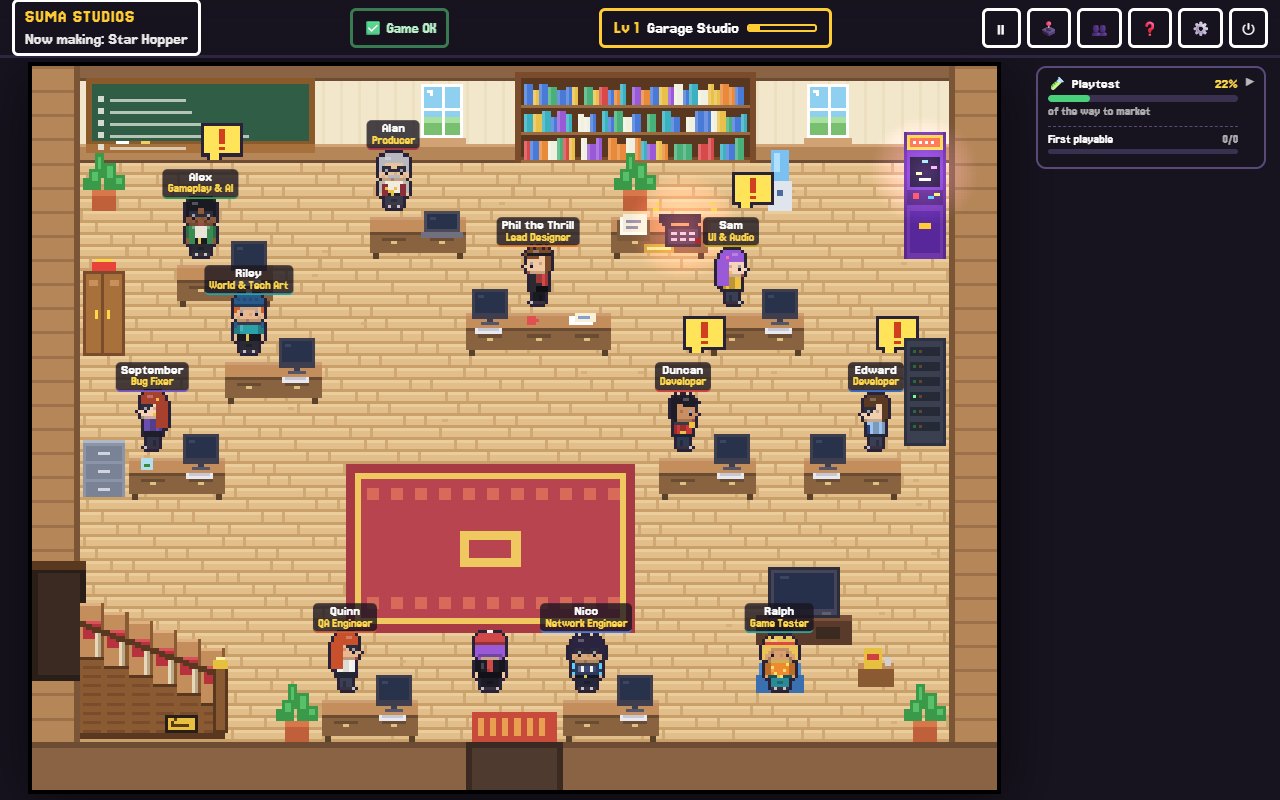
In Suma, that team lives in a retro pixel-art office on your computer. A lead designer helps shape the idea, a producer turns it into a plan, developers build it in Godot, Unreal Engine 5, Roblox or Fortnite (UEFN), and a playtester tells you what players are likely to think. The game itself is a real project on your own computer, so you own it.
What is good about it:
- You make the decisions, and you do not have to write the code.
- Design, building, testing and launch prep all happen in one place.
- You can still open the project in its engine and learn from it.
What to watch for:
- AI teammates can make mistakes, so you still need to play your game and give clear feedback.
- The team needs an AI model to think with. In Suma, that means free local models such as Llama or Gemma on a strong PC, or your own API key from OpenAI, Anthropic or Google.
A simple plan for your first game
Whatever route you choose, the steps are the same.
- Pick a tiny idea. One mechanic, one level, five minutes of play. Small games get finished.
- Make it playable fast. A gray box you can move around is worth more than a beautiful menu.
- Play it every day. Write down what feels off. Fix the biggest problem first.
- Get other people to play. Watch them without helping. Our playtesting guide explains how.
- Add art and sound last. Polish makes a fun game feel great, but it cannot make a boring one fun.
- Ship it somewhere. A free web build, a Roblox experience or a store page. Finishing teaches you more than starting ten projects.
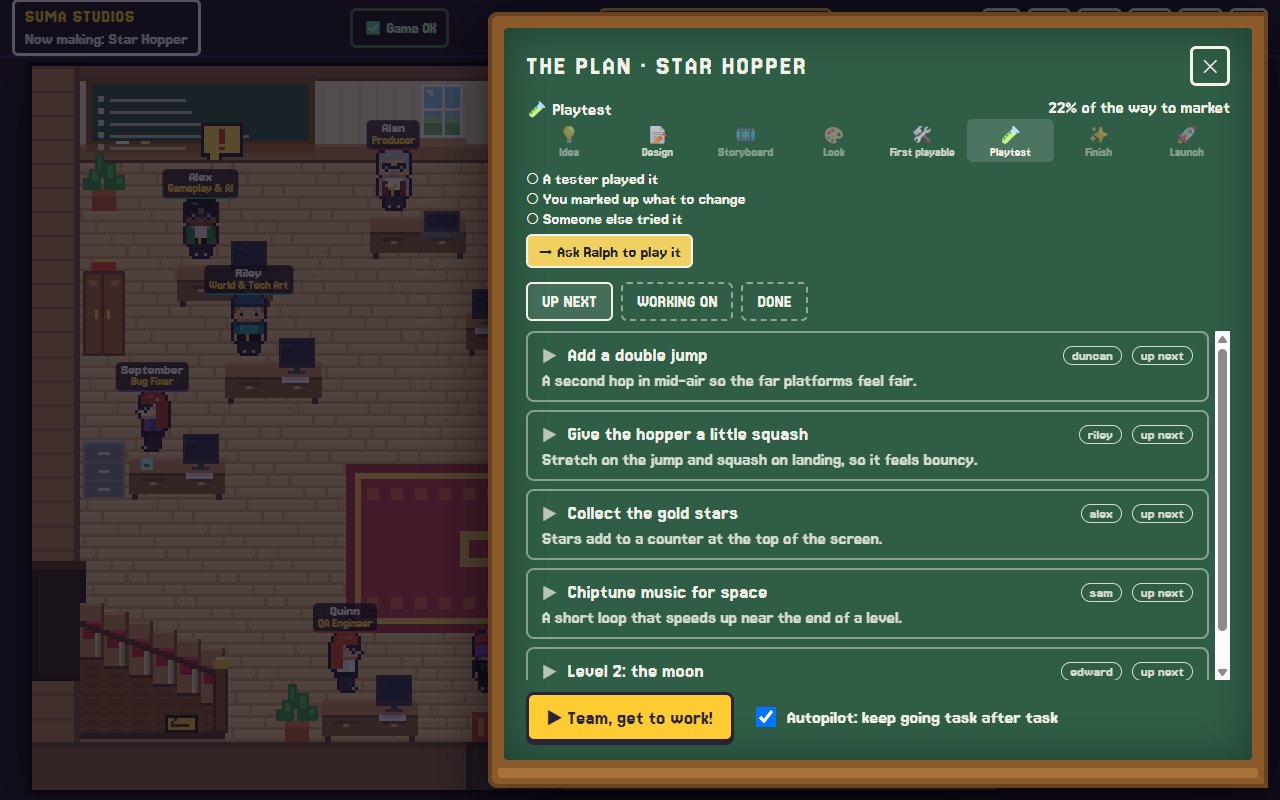
In Suma, the chalkboard keeps this plan for you: every task, who has it, and which of the eight stages your game is in, from idea to launch.
Which route should you pick?
- You want to learn game development as a skill: start with a visual-scripting tool or a beginner engine and expect to spend a few months.
- You want to build on a platform with a huge audience: start in Roblox Studio or UEFN. See how to make a Roblox game.
- You have a clear game in your head and want to see it built: try an AI team, keep the idea small, and stay closely involved.
There is no wrong answer. Plenty of people mix routes, starting with AI help and learning the engine as they go.
FAQ
Can I really make a game with zero coding knowledge?
Yes. Visual scripting tools and AI teams both let you make a playable game without writing code yourself. What you cannot skip is the design work: deciding what the game is and playing it to see what needs fixing.
How long does it take to make a first game?
A tiny game with one mechanic can be playable in days. A polished game for a store usually takes months, even for experienced developers. Keep your first one small.
Is it free to make a video game?
It can be. Godot, Roblox Studio and Unreal Editor for Fortnite are free to download. Suma has a free Starter that builds one game up to its first playable version, and the full app is a $14.99 one-time purchase. See pricing.
Do I own a game I make with AI help?
With Suma, the game is a project on your own computer, backed up to your own private GitHub, and it is yours. Always check the licenses of any assets you add, and check that AI-made work fits how you plan to use it.
Try it with your own idea
If you have a game in your head and no idea where to start, you can try Suma free and build one game up to its first playable version. Tell the team your idea in your own words and see what they make.
Make your game with an AI team
Suma Studios is a pixel-art game studio on your computer. Tell your team what you want, and they build it in Godot, Unreal, Roblox or Fortnite.