Blog · November 3, 2026
What Is Suma Studios? An AI Game Studio on Your PC
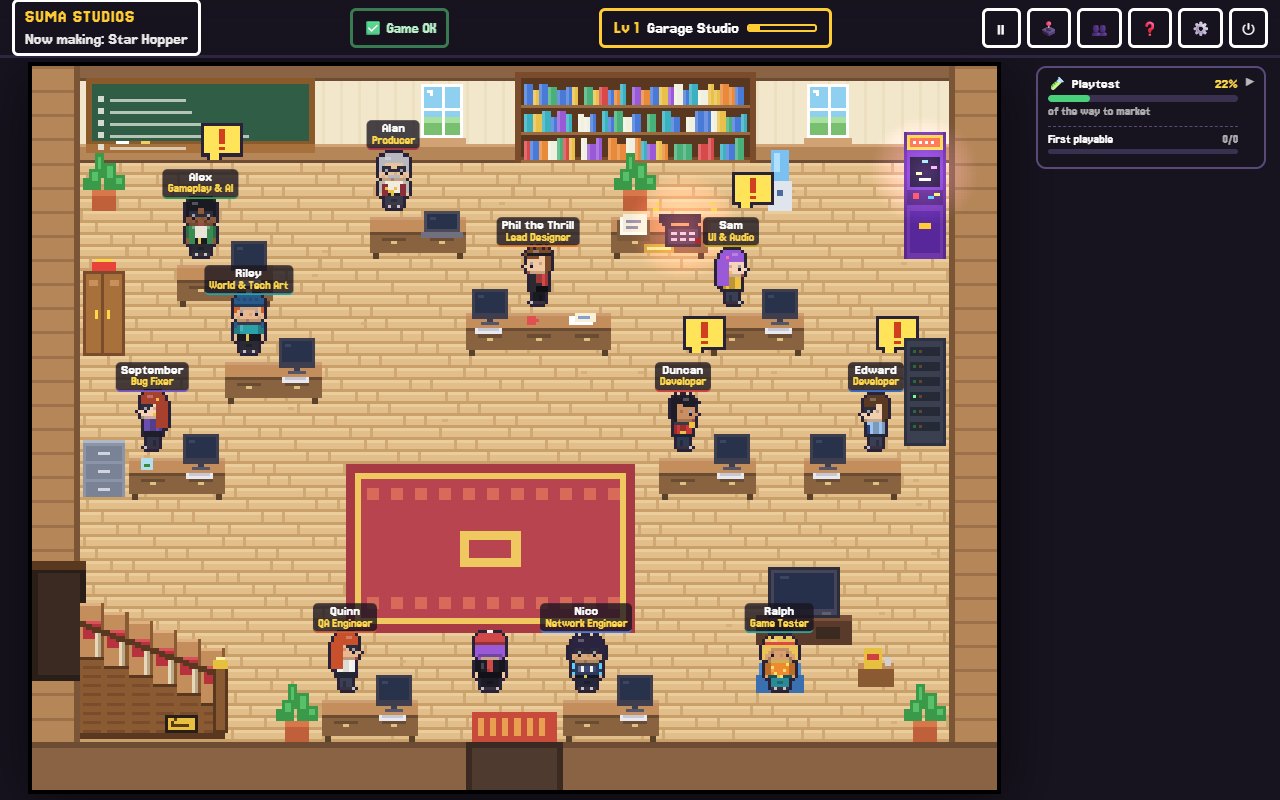
Suma Studios is a desktop app for Windows and Mac where a team of AI game developers builds your game with you. It looks like a retro pixel-art office. You walk around, talk to your teammates in plain words, by typing or speaking, and they design, build, test and help launch a real game in Godot, Unreal Engine 5, Roblox or Fortnite (UEFN). It costs $14.99 once, there is a free Starter, and it is for people 18 and over.
Here is what that means in practice.
The idea behind Suma
Most people with a game in their head never get to make it. Learning to code, draw, compose and market all at once is a lot. Suma gives you a studio instead: a team where each member has a job and a personality, and you are the creative director who makes the calls.
Meet the team
Your studio comes with teammates for each part of making a game. A few of them:
- Phil, the lead designer, pulls the game out of your head, offers ideas and writes the design doc.
- Alan, the producer, turns ideas into a chalkboard plan and keeps the schedule honest.
- Developers build the game and review each other's work.
- Iris, the art director, shapes the look. Lyra, the story director, plans story and characters.
- Echo, the sound engineer, runs the sound studio.
- Quinn handles QA, and Ralph, the playtester, tells you what players will probably think.
- Near launch, Zoe (marketing), Vince (publishing and licensing) and Dex (community) join in, and after launch Leo (live ops) runs updates and seasons.
You start with two developers and the whole studio around them. You can hire extra specialists, such as a level designer, a mobile developer or a sound designer, for $4.99 each, or create your own teammate. See who you can hire.
How a game gets made
- Tell them your idea. Say what you want in your own words. The team asks the right questions.
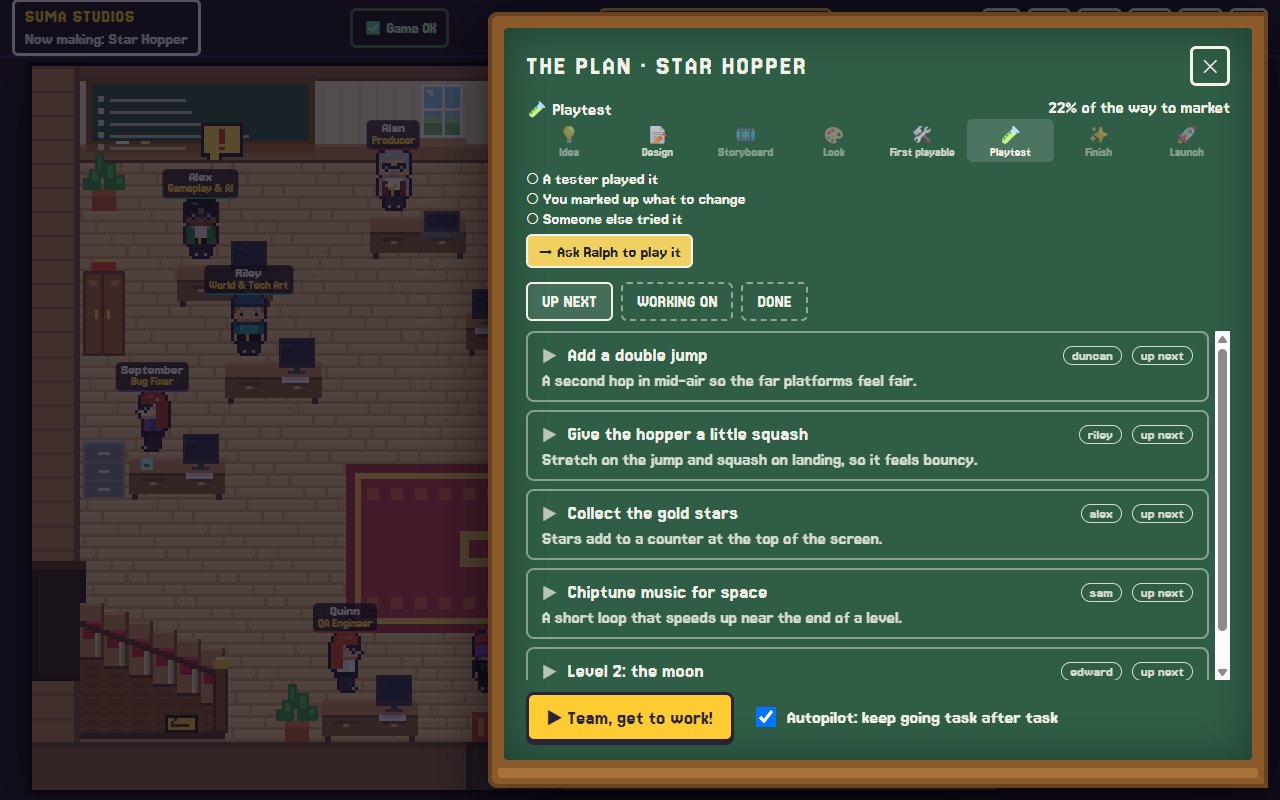
- They build it. Work appears on the chalkboard: every task, who has it, and how close the game is to launch across eight stages. Press one button and the team works through it, task after task.
- Play and mark it up. Play the game on the playtest TV, press F8 or F9 on any moment, draw on it, and say what should change.
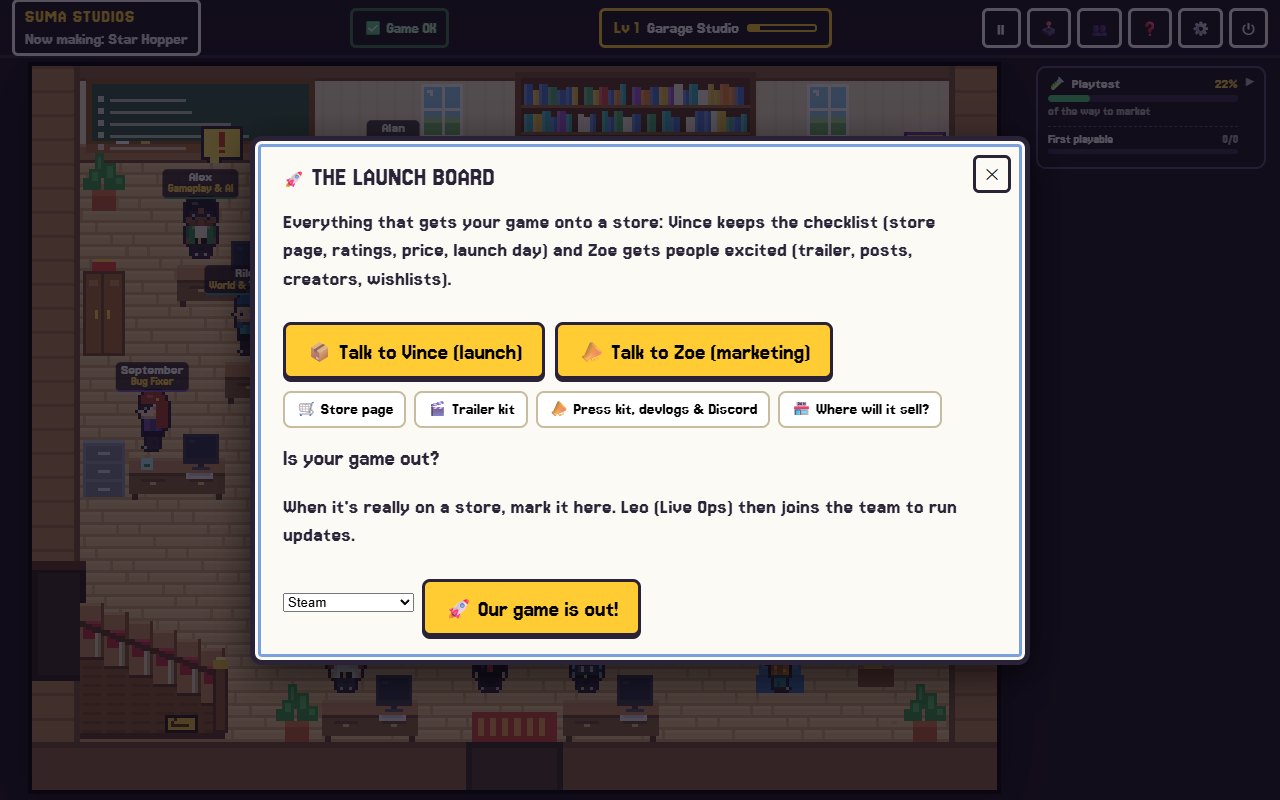
- Ship it. The team takes you through launch, with a store page, trailer and press kit.
What you can make
PC games, mobile games for phones and tablets, web games, and Roblox or Fortnite experiences. Godot installs in one click. Unreal Engine 5, Roblox Studio and UEFN work if you have them installed, and Fortnite islands are Windows only. Already started a game? Open its folder, including Unity, GameMaker and web games, and the team reads it first and builds around it.
The tools in the office
- The design desk: describe a change to a character in your own words, and the team changes the real one in your game's style. Draw on a scene to show exactly where.
- The sound studio: hear every sound in the game and ask for changes.
- Free asset search: textures, 3D models, skies, sounds and music you can add in one click.
- The desk phone and phone app: when a teammate has a question, your phone rings, and you can answer with a tap, by typing, by voice or with a picture. See the phone app.
- The launch board: store page, trailer, press kit and devlogs.
Safe, saved and yours
Every change is saved, so you can always go back. Each game has its own team memory, and it backs up to your own private GitHub project. Your game stays on your computer, and it is yours.
Levels and prizes
Making a game in Suma is a little like playing one. Finished tasks and milestones earn XP, your studio levels up from "Garage Studio" onward, and each level unlocks office prizes and costumes: posters and beanbags early on, then things like a pinball machine, an aquarium, an office dog and, much later, a golden arcade.
What powers the team
The team needs an AI model to think with, and you choose it: free local models such as Llama and Gemma on a strong PC, or your own API key from OpenAI, Anthropic or Google. Suma never marks up AI costs, and any AI costs are between you and that company.
Price
- Free Starter: build one game up to its first playable version, no card needed.
- Suma Studios: $14.99 once, with updates included, for Windows and Mac.
- Extra teammates: $4.99 each.
Full details are on the pricing page.
FAQ
Do I need to know how to code?
No. You talk to the team in plain words, and they build and test the game and show you the results.
Is Suma Studios a subscription?
No. Suma is $14.99 once, with no subscription from us. Any AI costs are separate, between you and the AI company you choose, and free local models cost nothing to run beyond your own PC.
Does it work on a Mac?
Yes. Suma runs on Windows 10 and 11 and on Mac. Fortnite islands need Windows.
What happens after my game launches?
The team stays with you. Leo runs patches, updates and seasons, Dex looks after your Discord and players, and everyone keeps fixing bugs and building what your players ask for.
Meet your team
The easiest way to understand Suma is to try it. Make a free account and build one game up to its first playable version, or read the features page first. New to game making? Start with how to make a video game with no coding experience.
Make your game with an AI team
Suma Studios is a pixel-art game studio on your computer. Tell your team what you want, and they build it in Godot, Unreal, Roblox or Fortnite.